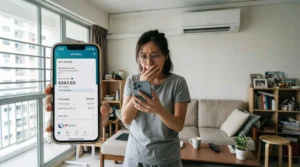
The Real Reason Your Phone Makes Your Hands Sweaty After 45 Minutes


The noticeable heat radiating into your palms is a direct result of thermal conduction. Your smartphone is a hyper-compressed supercomputer with absolutely zero internal cooling fans. When the processor works hard, the glass and metal chassis acts as an external radiator. Because human skin is incredibly sensitive to minor temperature shifts, the moment your phone surpasses your baseline skin temperature (around 32°C to 34°C), your hands literally become biological heatsinks, absorbing the excess thermal energy and triggering localized sweating.
You have been scrolling for forty-five minutes. You put the device down on the coffee table. Your palms feel clammy, flushed, and uncomfortably hot.
You didn’t do a workout. You were just watching videos.
The phenomenon of why hands feel warm after phone use is something we actively ignore, assuming it is just a quirk of holding a piece of glass. It isn’t a quirk. It is the brutal reality of modern thermodynamics. You are holding a military-grade processor enclosed in a sealed, airtight glass sandwich.
There are no exhaust vents. The heat has to go somewhere. That somewhere is your skin.
The Physics of the Pocket Supercomputer
Let’s look at the mechanical source of the fire.
Every action you take on your screen requires electrical current to flow through the device’s internal components. This creates resistance, and resistance creates device heat generation. A prolonged phone usage session—especially gaming, video calling, or recording in 4K—forces the CPU and GPU to draw massive amounts of power.
Because smartphones lack active cooling fans, manufacturers rely entirely on passive cooling. The entire internal structure is designed to push the processor heat mobile components generate outward, transferring it directly to the aluminum frame and the glass back panel. The phone is literally engineered to use its own exterior as a radiator.
If the ambient temperature is already high, the cooling efficiency plummets. This heat buildup mirrors the exact architectural failure of a stuffy room singapore ventilation desperately needs. If the heat cannot escape into the surrounding air, it simply stagnates and builds up inside the enclosure.
Your Hands as Biological Heatsinks
When that glass panel heats up, the laws of thermal conduction phone engineering rely on take over. Heat always moves from a warmer object to a cooler object.
Human skin normally sits at roughly 32°C to 34°C. The moment your phone surpasses this threshold, the heat transfer to skin begins instantly. Your body is highly calibrated to detect thermal changes. This is why smartphone makes hands feel hot so quickly; you are absorbing the device’s exhaust.
Your nervous system reacts to this localized heat spike by increasing the blood circulation hands rely on for thermal regulation. Your capillaries dilate to try and shed the excess heat, which makes your hands feel physically warmer and look flushed.
Simultaneously, your eccrine glands trigger localized sweating.
This creates a highly uncomfortable, sticky barrier between your skin and the glass. It is a miniature, localized version of the exact same physiological confusion that forces people to frantically search for ways to stop sweating indoors aircon singapore environments trigger. Your body is trying to cool down a surface that is continuously generating its own independent heat source.
The Material Breakdown
The constant transfer of heat and sweat doesn’t just annoy you. It destroys your accessories.
If you use a thick silicone or rubber case, you are essentially wrapping a winter coat around a working furnace. The case traps the heat, forcing the battery temperature to spike dangerously. Over time, the constant exposure to high heat and the natural oils from your warm hands causes the polymers in the case to degrade.
This chemical breakdown is the literal root cause behind the intensely frustrating process of having to fix sticky plastic singapore devices constantly suffer from. The heat accelerates the decay of the synthetic rubber, turning it into a gummy, gross mess.
Expert Insight / Thermal Engineering
“The sensation of warm hands after using phone devices is exacerbated by the thermal conductivity of modern materials. Glass and aerospace-grade aluminum are excellent thermal conductors. They are chosen specifically to pull heat away from the lithium-ion battery as fast as possible to prevent catastrophic thermal runaway. However, when the user’s hand fully wraps the device, they restrict the surface area available for convective cooling with the ambient air. The human hand inadvertently becomes the primary pathway for heat dissipation, leading directly to the user experiencing intense, localized thermal discomfort.”
The Phantom Fatigue Link
There is a subtle psychological toll to holding a hot object for two hours.
Your central nervous system is constantly processing this low-level thermal discomfort. It is an ambient stressor. This continuous, minor sensory irritation contributes heavily to the background noise of urban exhaustion. When analyzing the deep, unexplainable lethargy that explains why tired at home hdb singapore residents frequently complain, or trying to diagnose why tired at home singapore weekends feel entirely wasted, we have to look at our screens.
You sit motionless, absorbing blue light and physical heat, draining your mental reserves without ever standing up. If you are lying in bed scrolling for hours, the heat transfer disrupts your body’s natural cooling process required for sleep. It is a massive, hidden factor in why you feel tired at home singapore environments create.
You are exhausting your nervous system through micro-stressors.
The Environmental Echo
The trapped heat from your phone behaves exactly like trapped moisture in your home.
If you leave your damp clothes in a closed, warm room, you inevitably deal with a musty laundry smell singapore weather guarantees. If you trap cooking heat and moisture in dark unventilated spaces, you end up with smelly kitchen cabinets singapore humidity rots from the inside out.
The physics are identical. Heat and energy must be allowed to dissipate. When your hands feel warm after phone use, your device is screaming that it cannot breathe. The exact same stagnant airflow that explains why cooking smell lingers hdb singapore flats suffer from is preventing your phone from shedding its thermal load into the air.
✅ Do This
- Remove thick, heavy-duty phone cases when gaming, video calling, or performing intensive tasks to allow the glass back to radiate heat into the air, not into your palms.
- Lower your screen brightness. The display is often the largest single source of battery drain and subsequent heat generation.
- Rest the phone on a hard, flat surface (like a table) rather than holding it constantly. This drastically reduces the continuous thermal transfer to your skin.
❌ Avoid This
- Do not use the phone for heavy processing tasks (gaming, streaming) while it is plugged into a charger. Charging generates massive heat; using it simultaneously doubles the thermal load.
- Do not rest the phone on a blanket or your chest while lying in bed; fabric acts as an absolute thermal insulator, cooking the battery and your skin.
- Do not ignore a phone that gets painfully hot to the touch. That is a sign of a failing lithium-ion battery, not just normal processor heat.
Your phone is not defying the laws of physics. It is executing exactly what it was designed to do: pushing the fire of the processor outward. By understanding how to reduce hand warmth from phone use through better physical habits, you stop acting as your device’s biological cooling fan. Put the glass down. Let it breathe.

Kun Kerssa
Tech & Ergonomics Analyst
Kun is a senior technology and urban lifestyle observer at SGVital. With a deep focus on consumer hardware ergonomics and digital well-being, he specializes in translating complex technical concepts—like device thermodynamics—into practical, everyday insights for Singaporeans. His evidence-based approach helps readers build healthier physical boundaries with modern technology.
Frequently Asked Questions
Official Context & Device Safety Resources
For more official guidelines on device thermal safety, battery health, and preventing hardware degradation, consult the following technical and consumer resources: