SimplyGo vs EZ-Link Singapore: Stop Double Charges

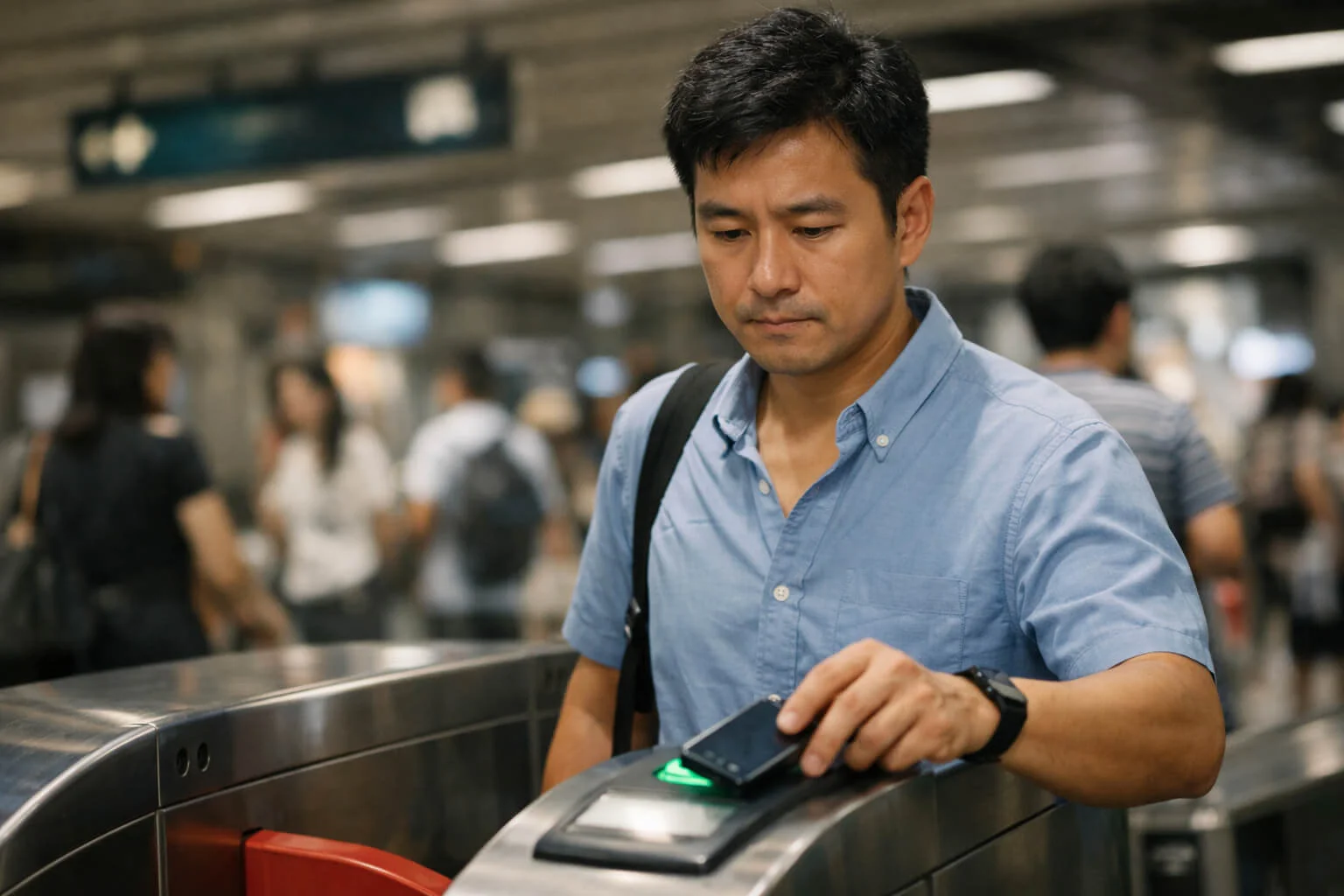

You hear the familiar “beeeep,” the gate slides open, and you rush to catch the train. But did you notice the display? Or worse, did your phone just charge you twice because it was too close to your wallet? Here’s how to navigate the invisible math of Singapore’s transit system.
Quick Guide to Save Money:
- Rule #1: One card, one tap. Take it out of your wallet!
- Mobile Users: Use the same device (Watch vs Phone) for in/out.
- Claims: You only have 14 days to dispute via the SimplyGo app.
It happens to the best of us. You’re rushing through the gantry at Dhoby Ghaut or squeezing onto a packed bus in Bedok. You tap your wallet, the green light flashes, and you move on. It’s only when you check your bank app later that you realize you’ve been charged a “Flat Fare” because you forgot to tap out Singapore style, or worse, you see two different transactions for the same trip.
In the transition to a more digital landscape, the SimplyGo Singapore guide has become essential reading. We’ve moved away from the old days of staring at the card reader to see our balance, and while that’s convenient, it’s also made it easier to lose track of what we’re actually paying. If you’ve ever wondered why my fare is higher than expected SimplyGo, you aren’t alone. The system is efficient, but it isn’t bulletproof.
SimplyGo vs EZ-Link: Which Is Better for Daily Commuters?
| Feature | SimplyGo (Bank Card/Mobile) | Traditional EZ-Link |
|---|---|---|
| Top-ups Required? | No (Direct Charge) | Yes (Must have balance) |
| Fare Display at Gantry | No (Shows “SimplyGo”) | Yes (Instant) |
| Card Clash Risk | High (If wallet is tapped) | Medium |
| Best For | Busy Professionals / Minimalists | Seniors / Students / Budget Trackers |
This is the question that usually starts a debate at the office pantry. SimplyGo vs EZ-Link which is better for daily commuters?
SimplyGo allows you to use your bank cards (Visa/Mastercard/NETS) or your mobile phone (Apple/Google Pay) directly at the gantry. No more top-up machines, no more “insufficient balance” embarrassment. However, the trade-off is that you don’t see the fare on the screen as you tap out. You have to check the app later.
The traditional EZ-Link Singapore guide approach is now largely integrated into the SimplyGo framework, but for those who prefer seeing their balance instantly or use concession pass Singapore guide benefits (like students or seniors), having a dedicated card still feels more secure.
The “Tap Mistake” Hall of Fame
Most commuters make the same 3 errors. Knowing them is the first step to avoiding a fare dispute Singapore claim.
Quick Quiz: Are You Losing Money Every Day? 💸
Scenario: You tap in with your iPhone at Orchard MRT, but your battery dies. You use your physical Visa card to tap out at Jurong East. What happens?
1. The “Double Tap” (Card Clash)
How to avoid double charging when tapping in crowds? Stop tapping your entire wallet. If you have an EZ-Link card in your wallet and a contactless credit card in the slot behind it, the reader might detect both. It might tap you in with one and out with the other, or worse, charge both. This is the #1 reason for the charged twice MRT Singapore headache.
2. The Missed Tap Out
We’ve all done it. The bus is crowded, you’re at the back door, and you just squeeze out without tapping. What happens if you forget to tap out Singapore buses? The system doesn’t know where you stopped, so it often charges the maximum possible fare for that bus route. It’s a silent drain on your bank account.
3. The Wrong Device
If you tap in with your Apple Watch and tap out with your iPhone, the system sees two different “cards” even if they are linked to the same bank account. It treats it as two incomplete journeys. What to do if I tapped wrongly on MRT in Singapore? Always use the exact same device/card for both ends of the trip.
💡 Don’t Blur Like Sotong:
If you see the “Invalid Entry” message even though you confirm plus chop you tapped in, don’t just jump the gate!
Quickly go to the Passenger Service Centre. If you don’t settle it on the spot, you might get hit with that annoying flat fare the next day.
Siam the extra charges by being proactive!
How to Dispute a Wrong Fare (The Calm Way)
If you see a charge that looks like a bus fare too high Singapore error, don’t panic. You have a window of time to fix it.
Check travel history SimplyGo: Download the SimplyGo app and link your cards. It takes about 24 hours for the “post-ride” fares to appear accurately. If you see a “Missing Entry” or “Missing Exit,” you can dispute a wrong fare charge Singapore residents typically do via the app’s “Claim” function.
(Note: Claims generally need to be filed within 14 days of the journey. Don’t wait until the end of the month to check your history.)
Concession Passes & Refunds
For students, NSFs, and seniors, the concession pass Singapore guide is slightly different. These cards often have “Monthly Travel Passes” that offer unlimited rides. If your concession card is faulty, you can’t just fix it on the app. You’ll usually need to visit a TransitLink Ticket Office or a SimplyGo Ticket Office at major MRT stations to get a transit card refund Singapore process started.
A Personal Tip: The “Notification” Trick
I used to spend $10 more a month than I needed to because I kept getting “Card Clash” charges. I turned on my bank’s push notifications for every transaction. Now, if I tap wrongly, my phone buzzes twice immediately. It’s the fastest way to know you’ve made a mistake before you even leave the station.
Quick Checklist (Save This)
✅ Do This
- Take your card out of your wallet to tap (Prevent “Card Clash”).
- Use the same device (Watch or Phone) to tap in and tap out.
- Download the SimplyGo app to check travel history Singapore.
- Link your bank cards to the app to receive notifications of “Missing Taps.”
- Check your history at least once a week to spot fare errors.
- Visit a Ticket Office immediately if your concession card is physically damaged.
- Ensure your mobile phone has enough battery before you enter the gantry.
- Wait for the green light/beep before moving through the gate.
- Apply for a fare dispute Singapore claim within 14 days.
- Keep a backup physical EZ-Link card in your bag just in case your phone dies.
❌ Avoid This
- Do not tap your whole wallet or bag against the reader.
- Do not switch between physical card and mobile pay during the same journey.
- Do not ignore “Incomplete Journey” notifications in the app.
- Do not wait too long to file a refund claim (the window is limited).
- Do not use a VPN on your phone while tapping; it can sometimes delay notifications.
- Do not assume the “Delivered” bank notification is your final fare (SimplyGo processes in batches).
- Do not try to “tailgate” if your card fails; seek help from the station staff.
- Do not forget to tap out on buses, even if everyone else is rushing.
- Do not share your concession card with others (it can be confiscated).
- Do not panic if you see a $0.10 or $1.00 “pre-authorization” charge from your bank.
Official Context & Links
For the most accurate and up-to-date fare structures and card policies, please refer to the Land Transport Authority (LTA) or the official SimplyGo portal. If you need assistance with concession cards, visit the TransitLink website. Always use official channels for filing refund claims.
Talk To Us! 📢
Which “Team” are you on in the Singapore transit wars?
Tell us in the comments below if you’ve ever successfully disputed a fare!
Related Reads
Editorial Note
Transit policies, claim windows, and fare displays can change. For the latest official rules on SimplyGo, EZ-Link, fare claims, and concession card services, always check the official SimplyGo and TransitLink channels linked in this article before taking action.