
Smart Home for Singapore HDB: 4 Devices That Just Work

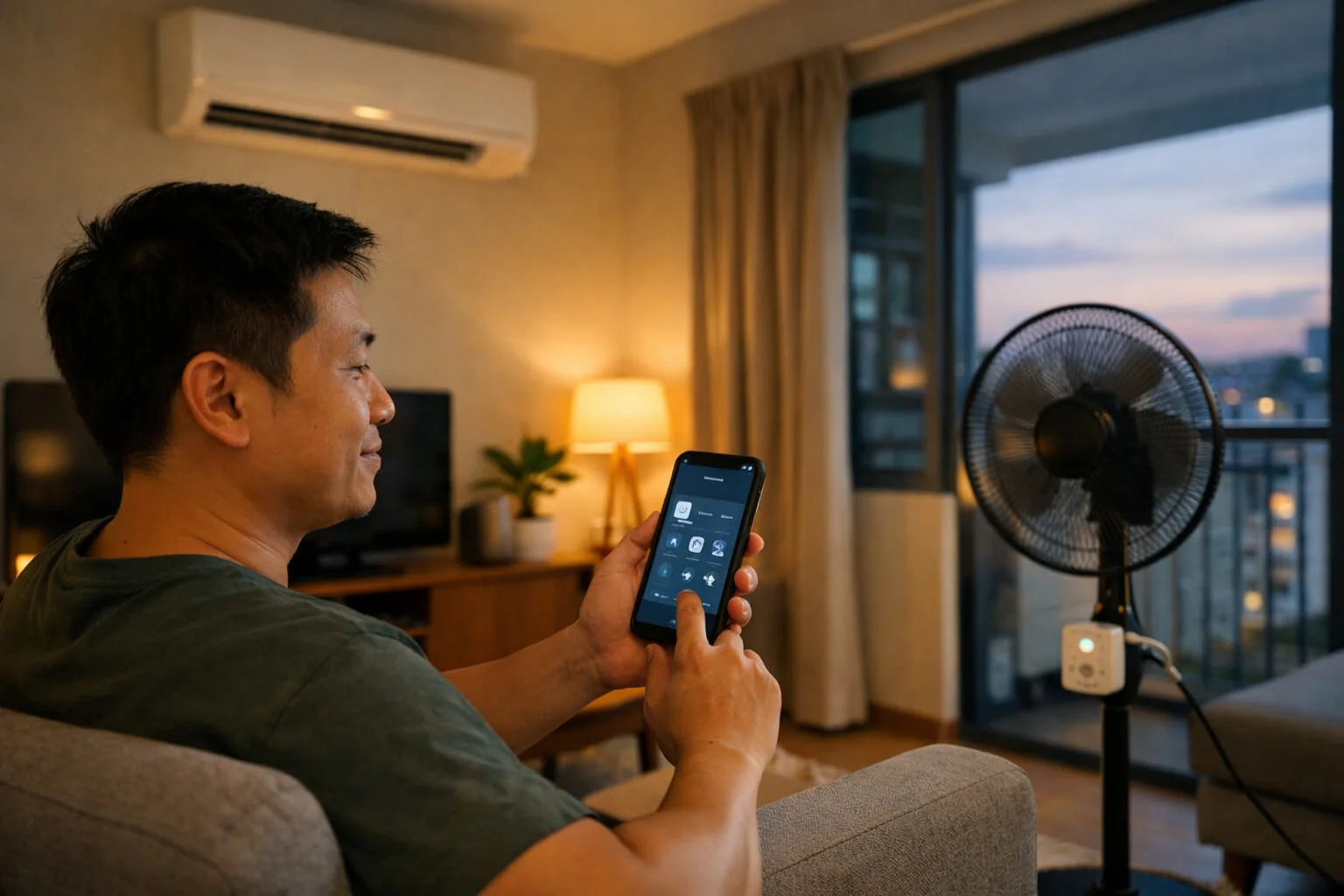

Forget about futuristic voice assistants and million-dollar condo setups. The real value of a smart home in Singapore is solving everyday friction: cooling the house before you arrive, turning off the lights from bed, and never wondering if you left the iron on.
Key Takeaways for HDB Owners
- Skip the expensive hubs: Start with simple Wi-Fi smart plugs if you have less than 5 devices.
- Focus on the Aircon: An IR Blaster is the single best investment for Singapore’s weather.
- Safety First: Always look for the Singapore SAFETY Mark on smart plugs handling heavy loads.
- Renter Friendly: Smart bulbs and plugs require no drilling or rewiring, perfect for rented flats.
The Singapore Home Reality: Aircon, Lights, and “Did I Switch It Off?”
We all know the feeling. You are already at the MRT station, tapping your EZ-Link card. Suddenly, your brain freezes. Did I turn off the living room aircon? Did I unplug the standing fan? You stand there debating whether to waste 15 minutes going back to check or spend the whole workday consumed by low-level anxiety.
This is the fundamental reality of daily life. When people look for a Singapore smart home guide, they are usually fed images of Iron Man-style homes where curtains open automatically to the morning sun. But that is the tech-bro fantasy.
The true promise of home automation Singapore HDB style is much more boring, and much more useful: peace of mind. It is about routine. It is about eliminating the tiny, irritating tasks of domestic life so you can focus on more important things.
Smart Home 101 (No Nerd Talk)
Before you buy anything, you need to understand how these devices talk to each other. If you search for how to start a smart home in Singapore HDB, you will immediately run into the “Hub vs. Wi-Fi” debate.
Let’s make it simple. Some smart devices connect directly to your home Wi-Fi router. You plug them in, open the app, and they work. Great for starters.
But if you connect 40 different bulbs to your Singtel/Starhub router, your Wi-Fi will choke. Netflix will buffer. That is where a “Hub” comes in. A Hub is a translator. Your smart devices talk to the Hub using low-energy signals (like Zigbee or Thread), and only the Hub talks to your Wi-Fi.
If you are a smart home beginner Singapore resident just testing the waters with two or three devices, skip the hub. Go direct-to-Wi-Fi. You can upgrade later.
To put it in a very Singaporean way: Direct Wi-Fi is like taking a private Grab directly to your destination. A Hub is like taking the MRT; everyone groups together and takes one big transport to the router. Here is the breakdown:
| Feature | Direct Wi-Fi | With a Hub (Zigbee/Thread) |
|---|---|---|
| Best For | Beginners (1-5 devices) | Full HDB renovation (20+ devices) |
| Router Stress | High (Can slow down your Netflix) | Low (Takes up only 1 router slot) |
| Cost | Cheaper to start | Requires buying the Hub ($50-$100) |
The 4 Best Starter Devices (Beginner)
You do not need to overhaul your electrical grid. Start with these four components. They give the highest return on investment for the lowest effort.
1. The Smart Plug (The Gateway Drug)
A smart plug Singapore home setup is the cheapest entry point. It is an adapter that goes between your wall socket and your dumb appliance.
What does it do? It makes dumb things smart. Plug your standing fan into it. Plug your bedside lamp into it. Now you can turn them on with your phone. Can smart plugs reduce electricity waste? Absolutely. Many come with energy monitoring, letting you see exactly how many cents that old fan is costing you per hour. You can also set a 2-hour timer for your phone charger to prevent battery degradation overnight.
2. Smart Lights (The Mood Setter)
There is a massive debate: smart plug vs smart switch which is better? Or maybe smart bulbs? For a smart lights setup Singapore starter, smart bulbs are the easiest. You just screw them in. No wiring. You can change the colour temperature from “office white” to “sunset yellow” at 8 PM, which helps your brain produce melatonin for sleep.
3. The IR Blaster (Aircon Remote Killer)
This is arguably the MVP for our climate. Most HDBs and condos use split-unit air conditioners that rely on infrared (IR) remotes. An IR blaster aircon remote smart home device sits on your TV console and mimics your physical remotes.
It connects to the internet. This means you can be in a Grab halfway home, open your app, and turn the bedroom aircon to 23°C. You walk into a pre-cooled room. It also controls the TV and the standing fan.
Pro Tip: Place the IR Blaster on your TV console with a clear line-of-sight to the aircon. It cannot penetrate walls!
Forget the leceh (troublesome) process of finding light switches in the middle of the night. A simple $15 motion sensor from Shopee solves this.
4. Sensors (The Invisible Hand)
Motion sensors and door contact sensors trigger the magic. Put a motion sensor under your bed. When your feet touch the floor at 3 AM to go to the toilet, a dim hallway light turns on automatically. No fumbling for switches in the dark.
Automations That Actually Matter (Not Gimmicks)
Owning smart devices is useless if you are just using your phone as a glorified remote control. The magic is in the background. Here are simple smart home automations that are actually useful.
The “Leaving Home” Routine: You open your front door. The door sensor triggers the system. It turns off all smart plugs, switches off all the lights, and kills the aircon. Zero anxiety.
The “Sleep” Routine: At 11:30 PM, your bedroom light fades out over 15 minutes mimicking a sunset. The aircon sets itself to 24°C. At 3:00 AM, the aircon automatically raises to 26°C because the room is already cool. By checking your SP Group app, you will literally see your power consumption drop, saving you a massive amount on your monthly electricity bill.
The “Heat & Humidity” Routine: In a condo smart home basics setup, you can link a cheap temperature sensor to your IR Blaster. If the living room hits 31°C, the system automatically switches on the ceiling fan to circulate air so the house doesn’t smell musty when you return.
Common Mistakes (Money-Wasters)
It’s easy to get excited and buy everything on the Shopee cart. Don’t.
App Fatigue: You buy a plug from Brand A, a light from Brand B, and a sensor from Brand C. Now you have three different apps on your phone. Buy devices that work within one ecosystem (like Google Home, Apple HomeKit, or SmartThings) so they can talk to each other.
Quick security note: If a “support” call or WhatsApp message pressures you for an OTP or asks you to install a “remote help” app, treat it as a red flag. See our guide: Don’t Trust Your Ears: AI Scam Tactics Spreading in Singapore.
Switching off the physical switch: If you use smart bulbs, you cannot turn off the wall switch. If the wall switch is off, the bulb has no power, and it drops off the network. How to automate lights in Singapore flats successfully? Buy a smart wall switch instead of a smart bulb if you have the budget.
Renters vs Owners (Singapore Reality)
A Quick Note on Resale HDBs: If you bought an older Resale HDB, your light switches probably don’t have a “Neutral Wire”. This limits your smart switch options. Always tell your electrician: “Uncle, please pull neutral wire for my smart switches!” during renovation.
The best beginner smart home setup for renters Singapore has to be non-destructive. If you rent a room, do not touch the electrical wall switches. Stick to smart bulbs, smart plugs, and the IR blaster. You can pack them all into a shoebox when your lease ends.
If you just got your BTO keys, that is the time for a real HDB smart home setup. Ask your electrician to pull neutral wires to all your light switch points. This allows you to install smart wall switches, which is the most reliable way to automate lighting.
Safety & Practical Tips (General)
We need to talk about fire hazards. Smart plugs are tiny computers. Smart plug safety tips are serious: do not plug high-wattage appliances into cheap smart plugs.
Ironing boards, space heaters, and heavy-duty microwave ovens pull a lot of electricity. Cheap plugs can melt. Stick to fans, lamps, and low-power electronics. Always check if the plug is certified for Singapore’s 230V/13A standard (the SAFETY Mark is your best friend here).
Account lock & OTP headaches? Many smart home apps and telco logins rely on OTP and face checks. If you’re stuck in the “locked / OTP not received / face verification failed” loop for essential Singapore services, save this calm troubleshooting guide: Singpass Not Working? Fix Account Locked, Face ID & OTP Issues.
The Practical Checklist for Beginners
You don’t need to automate your whole life in one weekend. Start small. Buy one smart plug for the living room fan and one IR blaster for the bedroom aircon. Play with the routines. See if it actually makes your life easier.
If you find yourself constantly reaching for your phone to turn on a light, you failed. Good smart homes disappear into the background. Automations should happen without you thinking about them. That is the ultimate goal.
Where to Buy in Singapore? (Shopee / Lazada)
Don’t overspend at fancy retail shops. Look for these reliable, budget-friendly brands online. Make sure the listing mentions “SG 3-Pin Plug” and “SAFETY Mark”.
- For Smart Plugs & Bulbs: TP-Link Tapo or Xiaomi Mijia (Great apps, very cheap).
- For IR Blasters: Broadlink RM4 Mini (The undisputed king of aircon control).
- For HomeKit/Hub Users: Aqara (Best value for Apple HomeKit users in SG).
Editorial Note:Singapore homes are built around aircon and practical routines, not “futuristic” gimmicks. Start small, stick to one ecosystem where possible, and prioritise SAFETY Mark devices—especially for anything drawing higher wattage.